

What's changed: Initial version (topic 1.03, subtopics 1.03.1–1.03.5)
3.4Searching Text Files with Regular Expressions
Learn pattern matching with regular expressions: the core metacharacters (^, $, ., *, [ ], \\), grep and its variants (egrep = grep -E, fgrep = grep -F), search-and-replace with sed, and where regex(7) fits.
"Only lines starting with ERROR", "wherever digits repeat"—regular expressions are the language for patterns beyond fixed strings. They resemble shell wildcards (globs) but follow different rules—note how * differs between the two.
3.4.1Core metacharacters
- Anchors: ^ (line start), $ (line end).
^ERROR= lines starting with ERROR;^$= empty lines. - Characters: . (any single char), [abc]/[a-z] (set/range), [^abc] (negation).
- Repetition: * (zero or more of the previous element).
ab*cmatches ac, abc, abbc. Different from the shell's*(any string). - Extended regex (ERE) uses
+(one or more),?(zero or one),|(or),( )(groups) directly; basic regex (BRE) needs escapes like\+. Escape metacharacters with \\ to match them literally.
3.4.2The grep family and sed
- grep prints lines matching a regex (
-iignore case,-vnon-matching lines,-nline numbers,-rrecursive). - egrep (=
grep -E) searches with extended regex; fgrep (=grep -F) does fixed-string search with no regex interpretation—fastest and safest for strings full of metacharacters. - sed substitution:
sed 's/old/new/g'(g = all in the line). With-nandpit prints matched lines—grep-like. Full grammar lives in the regex(7) manual.
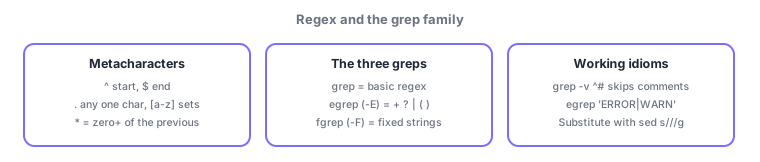
Non-negotiables: ^ start, $ end, . any one char, * zero-or-more of the previous. Standard picks: need + or | → egrep (grep -E), searching literal metacharacters → fgrep (grep -F), non-matching lines → grep -v. Watch for options conflating regex * with the shell's *.
Line up the two confusable *s. In the shell, ls *.log is expanded by the shell to "anything + .log" (globbing). In grep 'er*or' file, * means zero or more of the preceding r, matching eor, eror, error. "Any string" in regex is .* (any char, zero or more times). Learn the working idioms: effective lines only—grep -v '^#' conf | grep -v '^$'; ERROR or WARN—egrep 'ERROR|WARN' app.log; a literal dotted IP—fgrep '192.168.1.1' log (or escape with \.). sed goes one step past read-only grep: it fixes text as it streams, e.g. sed 's/http:/https:/g' urls.txt—the standard exit point of a pattern pipeline.
| Command | Interpretation | When to use |
|---|---|---|
| grep | Basic regex (BRE) | Everyday line search |
| egrep (grep -E) | Extended regex (+ ? | ( )) | Alternation, repetition counts |
| fgrep (grep -F) | Fixed strings (no regex) | Literal metacharacters, speed |
| sed s/// | Regex substitution | Search and fix |
Trap: "regex * matches any string" is wrong—* means zero or more of the preceding element; any string is .* (a deliberate confusion with shell globs). And "fgrep uses extended regex" is wrong—fgrep (grep -F) interprets no regex at all.
3.4.3Section summary
- ^ start, $ end, . any one char, [ ] sets, \* zero-or-more of previous (any string = .\*); grammar in regex(7)
- grep (BRE) / egrep = -E (extended) / fgrep = -F (fixed); non-matches with -v; substitute with sed s///g
Sign in to track progress — Log in.
Quick check
(just a quick review)Q1. You want only lines that start with ERROR. Which command?
Q2. You want lines containing ERROR or WARN with a single pattern. Best command?
Q3. You want the fastest search for the literal string "192.168.1.1", with dots not treated as metacharacters. Which command?
Keep track of your progress
The full study guide is free to read. Sign up free to practice with the question bank, track what you have read, review your mistakes, and highlight passages.