

What's changed: Initial version (topic 1.02, subtopics 1.02.1–1.02.4)
2.4File Placement and Searching
Learn the standard directory layout defined by the FHS (Filesystem Hierarchy Standard) and the search tools: the roles of /etc, /var, /home, /usr, etc.; find vs locate (updatedb, /etc/updatedb.conf); and locating commands with which, whereis, and type.
"Where are the config files? The logs?"—on Linux the answers are nearly universal across distributions, thanks to the FHS. Knowing the map makes finding, placing, and troubleshooting all faster.
2.4.1Key FHS directories
- /etc = system-wide configuration / /var = growing data like logs and spools (/var/log) / /home = user homes / /root = root's home.
- /bin//sbin = essential commands (sbin for admins) / /usr = the bulk of applications and shared data (/usr/bin, /usr/share) / /opt = self-contained add-on software.
- /tmp = temporary files (may vanish on reboot) / /boot = kernel and boot loader files / /dev = device files / /proc and /sys = virtual filesystems exposed by the kernel.
2.4.2Choosing a search tool
- find walks the disk now (fresh but slow). locate searches the database built by updatedb (fast, but blind to changes since the last update). Exclusions live in /etc/updatedb.conf.
- Locate commands with which (executable on PATH), whereis (binary + man pages + source), and type (also tells shell builtins from external commands:
type cd→ shell builtin).
Staples: new file missing from locate → run updatedb, need the truth right now → find, identifying cd requires type (builtin detection). For FHS, prioritize config = /etc, logs = /var/log, temp = /tmp, add-ons = /opt.
Think of locate vs find as "phone book vs field survey". locate reads an index prebuilt by updatedb (usually run daily via cron), so it answers instantly—but a stale index misses today's files and may list deleted ones. Run updatedb manually to refresh (exclusions via /etc/updatedb.conf). When accuracy matters, walk the disk with find. The command-locating trio divide their turf: which answers only "which PATH entry would the shell run", whereis adds man pages and sources, and type also detects aliases and shell builtins (cd, echo). The contrast—which cd returns nothing while type cd says builtin—pays off on the exam and in practice.
| Directory | Role | Examples |
|---|---|---|
| /etc | System configuration | /etc/passwd, /etc/fstab |
| /var | Variable data | /var/log, /var/spool |
| /usr | Applications & shared data | /usr/bin, /usr/share |
| /opt / /tmp | Add-ons / temporary files | /opt/app, /tmp/xxx |
Trap: "locate always reflects the filesystem's current state" is wrong—it reads the index as of the last updatedb run, not real time. And "which detects shell builtins" is wrong—which only searches executables on PATH; detecting builtins and aliases takes type.
2.4.3Section summary
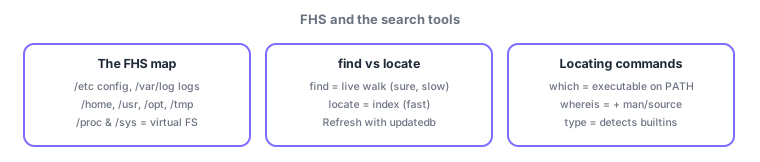
- FHS = config /etc, logs /var/log, homes /home, apps /usr, add-ons /opt, temp /tmp, virtual /proc & /sys
- find = live walk (accurate) / locate = index (fast; refresh with updatedb); locate commands with which < whereis < type (type sees builtins)
Sign in to track progress — Log in.
Quick check
(just a quick review)Q1. A file you created this morning does not appear in locate. What should you do first?
Q2. Which FHS directory holds system-wide configuration files?
Q3. You want to determine whether "cd" is a shell builtin or an external command. Which command?
Keep track of your progress
The full study guide is free to read. Sign up free to practice with the question bank, track what you have read, review your mistakes, and highlight passages.