

What's changed: Deepened MS-900 Chapter 2 to the AZ-900 baseline (productivity apps Exchange/SharePoint/OneDrive/Office + SharePoint vs OneDrive table; Teams/Viva/Loop/Forms + table; Intune MDM/MAM, Windows 365, update channels + table + Conditional Access link; scenarios, FAQ). Localized 3 figures
2.3Device Management and Deployment
Understand device management with Microsoft Intune (MDM/MAM), Windows 365 (Cloud PC), and how Microsoft 365 apps are deployed and updated.
Delivering productivity in the cloud requires managing/securing devices and deploying/updating apps. Microsoft 365 provides these.
2.3.1Device management and deployment
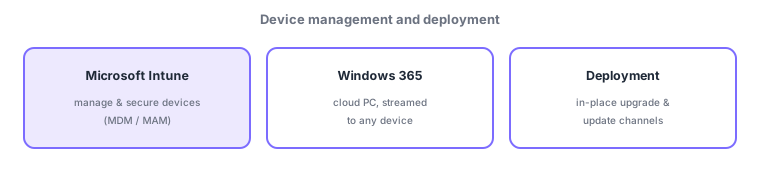
- Microsoft Intune: a cloud service to manage and secure devices, covering both MDM (mobile device management—manage the device itself) and MAM (mobile application management—manage data within apps).
- Windows 365 / Azure Virtual Desktop: stream a Cloud PC (desktop) to any device for the same environment anywhere.
- Deployment/updates: distribute Microsoft 365 apps and keep them current via update channels (monthly/semi-annual).
Even with cloud productivity, you cannot operate safely without managing/securing the devices and apps employees use. Microsoft Intune does this, centrally managing everything from corporate PCs to phones. MDM manages "the device itself" (require passcode, wipe if lost); MAM manages "data within apps" (protect only business-app data, even on personal devices). Windows 365, conversely, streams a cloud PC (desktop) rather than managing the device, giving the same environment from any device. Intune integrates with Conditional Access (from SC-900) to allow access only from compliant (managed) devices.
| Goal | Service/feature |
|---|---|
| Manage the device itself (wipe, etc.) | Intune MDM |
| Manage in-app data (even BYOD) | Intune MAM |
| Stream a Cloud PC | Windows 365 |
| Keep apps current | Update channels |
Scenario: BYOD for work. For employees who want work email on a personal phone but not full device management, use Intune MAM to protect "only the data inside business apps" (copy restrictions, remote wipe). Corporate PCs are fully managed via MDM. Frequent travelers get the same environment from any device via a Windows 365 Cloud PC. Access is limited to compliant devices via Conditional Access.
Watch the mix-ups: (1) MDM (manage the device) vs MAM (manage in-app data)—MAM suits BYOD where you protect only apps. (2) Intune (manage devices) vs Windows 365 (stream a Cloud PC)—different aims. (3) Intune integrates with SC-900’s Conditional Access (knowledge across certs connects).
Q. MDM vs MAM? MDM manages the device itself (e.g., corporate PCs); MAM manages data inside apps (even on personal devices). Q. Intune vs Windows 365? Intune manages devices/apps; Windows 365 streams a cloud PC. Q. Update channels? A way to choose how often Microsoft 365 apps update (monthly, semi-annual).
Common: device management/security = Microsoft Intune (MDM = device / MAM = in-app data), Cloud PC = Windows 365, keep apps current = update channels. Intune integrates with Conditional Access (SC-900).
2.3.2Section summary
- Intune (device mgmt: MDM = device / MAM = in-app data) / Windows 365 (Cloud PC)
- Apps stay current via update channels; Intune integrates with Conditional Access
Sign in to track progress — Log in.
Quick check
(just a quick review)Q1. Which Microsoft 365 service manages and secures devices (MDM/MAM)?
Q2. Which Microsoft service streams a Cloud PC to any device?
Q3. What does Microsoft Intune’s MAM primarily manage?