

What's changed: Initial version (topic 1.10, subtopics 1.10.1–1.10.4)
5.3Protecting Data with Encryption
Learn protecting data and communication with public-key technology: OpenSSH client key management (ssh-keygen, ssh-agent, ssh-add), the major algorithms (RSA, ECDSA, Ed25519), SSH port forwarding (local/remote), and file encryption/signing with GnuPG (gpg, gpg-agent, ~/.gnupg/).
Exam 101 covered connecting with keys; this section goes further—generating and managing keys yourself and applying encryption to both transport (SSH) and files (GnuPG). One principle—the public/private key pair—threads it all.
5.3.1Generating and managing SSH keys
- ssh-keygen generates key pairs (
ssh-keygen -t ed25519). A passphrase encrypts the private key file itself—theft alone is not immediate compromise. - Algorithms: RSA (traditional, most compatible; 3072–4096 bits recommended), ECDSA (elliptic curves—short keys, equal strength), Ed25519 (the current recommendation—fast, safe, compact).
- ssh-agent holds decrypted keys in memory; register with ssh-add and the passphrase is asked once per session, with later connections automatic.
5.3.2Port forwarding and GnuPG
- SSH port forwarding tunnels other traffic through the encrypted channel. Local:
ssh -L 8080:db01:3306 bastion—connections to local port 8080 reach db01:3306 via the bastion (the standard way to safely reach internal DBs). Remote (-R) goes the other way. - GnuPG (gpg) encrypts, decrypts, and signs files:
gpg --gen-key, encrypt to a recipientgpg -e -r who file, decryptgpg -d. Keyrings live in ~/.gnupg/; gpg-agent manages passphrases. - The principle: what you hand out is always the public key. SSH places yours on the server (authorized_keys); GnuPG encrypts with the recipient's public key, so only their private key decrypts.
Staples: one passphrase entry = ssh-agent + ssh-add, current recommended algorithm = Ed25519, the -L local-forward syntax (local-port:target-host:target-port), encrypt with the recipient's public key = gpg -e -r. Watch options that confuse ssh-keygen (generation) with ssh-add (agent registration).
The daily setup balancing safety and convenience: generate a passphrase-protected key with ssh-keygen -t ed25519, distribute the public key to each server's authorized_keys, then at the start of work eval $(ssh-agent) → ssh-add ~/.ssh/id_ed25519—one passphrase, automatic authentication thereafter. Grasp the design—store private keys encrypted; let only the in-memory agent hold them decrypted—and options stop being confusing. Read forwarding syntax as "listen side : destination": -L 8080:db01:3306 = listen locally on 8080, deliver to db01:3306 beyond the tunnel—reaching a firewalled DB through one SSH door. GnuPG's canonical uses: encrypt backups to your own public key, and sign releases for tamper detection (yum repository signing works the same way). Lock in the directions—encrypt = recipient's (or your) public key; sign = your private key—and the section is complete.
| Tool | Role | Key point |
|---|---|---|
| ssh-keygen | Generate key pairs | -t ed25519 is current best |
| ssh-agent + ssh-add | Hold/register decrypted keys | One passphrase per session |
| ssh -L | Local port forwarding | local:target-host:target-port |
| gpg | File encryption/signing | Encrypt with recipient's public key |
Trap: "ssh-agent generates key pairs" is wrong (generation = ssh-keygen; the agent holds, ssh-add registers). "GnuPG encrypts files with your private key" is wrong—encryption uses the recipient's public key; private keys decrypt and sign. And "RSA-1024 is safer than Ed25519" is wrong (short RSA is dangerous today).
5.3.3Section summary
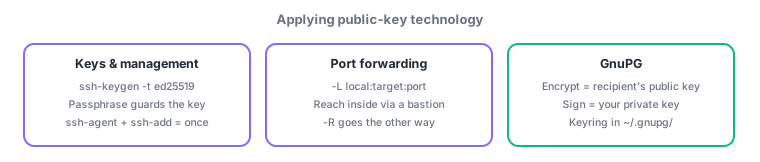
- ssh-keygen (generate; Ed25519; passphrase) → ssh-agent/ssh-add (one entry, held in memory)
- -L local:target:port = reach through the tunnel; gpg: encrypt = public key, sign = private key (keyring in ~/.gnupg/)
Sign in to track progress — Log in.
Quick check
(just a quick review)Q1. Your SSH private key has a passphrase, but you want to type it only once per session. Which mechanism?
Q2. You must reach an internal DB (db01:3306) through a bastion via SSH tunnel, from local port 8080. Which command?
Q3. You must GPG-encrypt a file so only the business partner (recipient) can decrypt it. Which key do you use?
Keep track of your progress
The full study guide is free to read. Sign up free to practice with the question bank, track what you have read, review your mistakes, and highlight passages.