

What's changed: Initial version (topic 1.04, subtopics 1.04.1–1.04.4)
4.3Package Management with yum
Learn repository-based package management on RHEL-family systems: install/update/remove/search with yum, finding the package that provides a file (provides), repository configuration (/etc/yum.repos.d/, /etc/yum.conf), and download-only fetching with yumdownloader.
On RPM-family distributions (RHEL, CentOS, AlmaLinux), yum plays apt's role (its successor dnf keeps compatible usage). Same job—fetch from repositories, manage with dependencies—so learn it as a mapping from apt.
4.3.1Core yum operations
- Install with
yum install httpd; remove withyum remove httpd; update withyum update(everything, or one package by name); search withyum search keyword; details withyum info pkg. - File → package lookup with
yum provides /usr/sbin/httpd(covers uninstalled packages). List withyum list installed. - Repositories are defined by
.repofiles in /etc/yum.repos.d/ (one section per repo); global settings in /etc/yum.conf. Check enabled repos withyum repolist. - yumdownloader downloads rpm files without installing—for offline transfer or inspection.
Staples: package providing a file = yum provides, repo definitions = .repo files in /etc/yum.repos.d/, download only = yumdownloader. The apt mapping is the favorite confusion: yum update upgrades packages, while apt update only refreshes the index.
Exams target the asymmetry with apt. apt splits "update = index, upgrade = packages" into two words, but yum's update means "upgrade packages"—index refresh happens automatically each run (explicitly: yum makecache). So "ran yum update" = "packages were upgraded"; reading it with apt intuition gets you the wrong answer. Repo management differs too: apt lists everything in one sources.list, while yum drops one .repo file per repository into /etc/yum.repos.d/, toggled by enabled=1/0. Adding a corporate mirror is just placing one .repo file. yumdownloader is the staple for distributing rpms to air-gapped servers or inspecting before installing; --resolve also fetches dependent rpms.
| Goal | Debian family (apt) | RHEL family (yum) |
|---|---|---|
| Install | apt install | yum install |
| Upgrade packages | apt update → apt upgrade | yum update (index auto) |
| File → package | apt-file search | yum provides |
| Repo definitions | /etc/apt/sources.list | /etc/yum.repos.d/*.repo |
Trap: "yum update, like apt update, only refreshes the index" is wrong—yum update upgrades packages (the index refreshes automatically). Distribution mix-ups like "yum repos are defined in /etc/apt/sources.list" are classic distractors too (correct: /etc/yum.repos.d/).
4.3.2Section summary
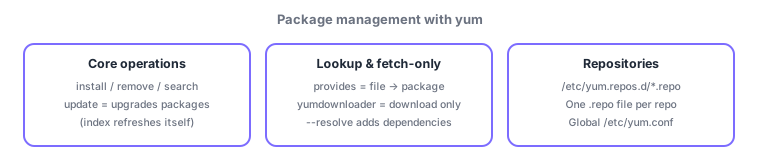
- yum update = upgrade packages (index auto-refreshes); install/remove/search/info/list installed
- provides = file lookup, /etc/yum.repos.d/ = per-repo .repo files, yumdownloader = download only
Sign in to track progress — Log in.
Quick check
(just a quick review)Q1. On a RHEL-family server, you want to find which package provides /usr/sbin/httpd. Which command?
Q2. You need rpm files to carry to an offline test server—download only, no install. Which command?
Q3. You want to add a repository for yum. Where do its definition files go?
Keep track of your progress
The full study guide is free to read. Sign up free to practice with the question bank, track what you have read, review your mistakes, and highlight passages.