

What's changed: Added a "Power Pages capabilities" section to Chapter 3 to match the official 6-domain PL-900 (external websites/Dataverse integration/external-user auth/role split vs Power Apps + figure, table, scenario, FAQ, traps, quiz).
3.3Power Pages Capabilities
Understand building low-code external-facing websites with Microsoft Power Pages, including Dataverse integration, external-user authentication, and templates.
Microsoft Power Pages builds low-code, external-facing websites. You can quickly publish intake forms and self-service portals used by people outside your organization, such as customers, partners, and citizens.
3.3.1What Power Pages offers
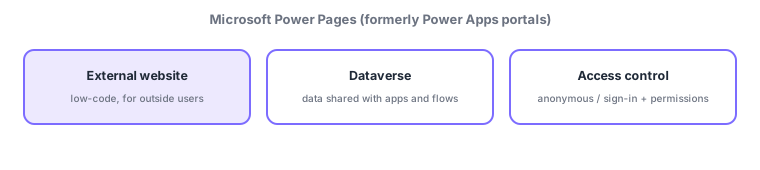
- External website: build public sites for users outside the org (the counterpart to Power Apps, which targets mostly internal business apps).
- Dataverse-backed: data shown or collected is stored in Dataverse, sharing the same data with apps and flows.
- Low-code + templates: compose pages with minimal coding using ready-made templates and a design studio.
- External authentication: let visitors browse anonymously or require sign-in, and control data access by permissions.
In Power Platform, Power Pages plays the "external publishing (website)" role. Whereas Power Apps mainly builds internal business apps (canvas/model-driven) used by staff, Power Pages builds public websites used by people outside the org—the decisive difference. Data the site uses is stored in Dataverse, so the same data is available to Power Apps and Power Automate. Pages are composed low-code with templates and a design studio, and can be extended with HTML/CSS and JavaScript when needed. For external users you choose anonymous access or required sign-in, and control "who can see or submit what" with permissions on tables and columns. Typical uses include event-registration forms, self-service support portals, and partner-facing lookup sites.
| Aspect | Power Apps | Power Pages |
|---|---|---|
| Primary users | Internal staff | External users (customers, partners) |
| What you build | Business apps (canvas/model-driven) | Public website/portal |
| Data | Dataverse, etc. | Dataverse (shares the same backbone) |
Scenario: an event-registration site. Build the public form external attendees use with Power Pages, storing entries in Dataverse. Automate confirmation emails and staff notifications with Power Automate. Give internal staff a management screen built with Power Apps. Split the roles—external publishing = Power Pages, internal management = Power Apps—and integrate them.
Watch the mix-ups: (1) Power Pages = external website / Power Apps = mainly internal business apps (different users and purposes). (2) Power Pages data also lives in Dataverse (not a separate DB). (3) External users can be anonymous or required to sign in, with access controlled by permissions (public does not mean "show everything"). (4) Its former name was Power Apps portals (renamed to Power Pages).
Q. What is Power Pages? A low-code tool to build external-facing websites. Q. Difference from Power Apps? Power Apps targets mostly internal business apps; Power Pages targets external-facing public sites. Q. Where is the data? In Dataverse, shared with apps and flows.
Common: low-code external website = Power Pages, data in Dataverse, internal apps = Power Apps / external sites = Power Pages. Power Pages is the "external publishing" role (formerly Power Apps portals).
3.3.2Section summary
- Power Pages = low-code external-facing website (formerly Power Apps portals)
- Data in Dataverse; external users anonymous/sign-in + permissions; split roles with Power Apps for internal apps
Sign in to track progress — Log in.
Quick check
(just a quick review)Q1. Which Power Platform tool builds low-code external-facing websites?
Q2. Where is the data shown or collected by Power Pages primarily stored?
Q3. Which best describes the main difference between Power Apps and Power Pages?
Keep track of your progress
The full study guide is free to read. Sign up free to practice with the question bank, track what you have read, review your mistakes, and highlight passages.