

What's changed: Added a "Power Pages capabilities" section to Chapter 3 to match the official 6-domain PL-900 (external websites/Dataverse integration/external-user auth/role split vs Power Apps + figure, table, scenario, FAQ, traps, quiz).
3.2Copilot Studio Capabilities
Understand building low-code chatbots/assistants with Microsoft Copilot Studio (formerly Power Virtual Agents), including topics and integration.
Microsoft Copilot Studio (formerly Power Virtual Agents) builds low-code chatbots/assistants. In Power Platform it plays the "assist" role.
3.2.1How Copilot Studio works
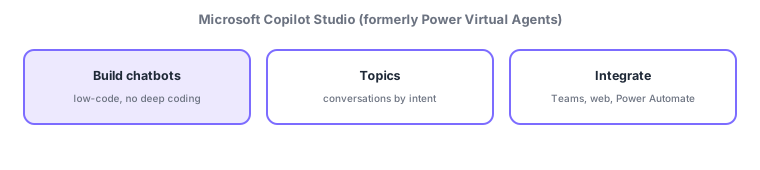
- Build chatbots: create conversational bots/agents low-code, without deep coding.
- Topics: units that define conversation flows by user intent (started by trigger phrases).
- Generative AI / knowledge: use internal docs or websites as knowledge so it can answer without hand-built topics (generative AI).
- Integrate & publish: publish to Teams, websites, etc., and combine with Power Automate to take real action (booking, lookups).
Copilot Studio plays "assist" in Power Platform, building low-code conversational assistants (chatbots). Conversations are built from topics, and a user’s utterance (trigger phrase) starts the right topic. Recently it integrates generative AI, so providing internal docs or web pages as knowledge lets it answer naturally without hand-crafting every topic. And by calling Power Automate flows behind the scenes, the bot can go beyond "just answering" to take real action (create bookings, look up systems). A typical use is publishing to Teams or your website to automate inquiries.
Scenario: an internal help-desk bot. Define topics for routine questions ("how do I file expenses?") for instant answers. Provide policy PDFs as knowledge so generative AI handles undefined questions. For "I want to request leave," call Power Automate to start the request flow. Publish the finished bot to Teams for everyone. Copilot Studio (assist) + Power Automate (automate) integrate.
Watch the mix-ups: (1) Copilot Studio is the renamed Power Virtual Agents. (2) Conversations are built from topics (by intent), started by trigger phrases. (3) "Respond via conversation = Copilot Studio / automate backend steps = Power Automate"—different roles that integrate. (4) Generative AI can answer from knowledge, but design reliable canned responses as topics.
Q. Copilot Studio’s former name? Power Virtual Agents. Q. What is a topic? A unit defining a conversation flow by user intent, started by trigger phrases. Q. Copilot Studio vs Power Automate? The former handles conversation (assist); the latter automates backend steps. Bots call Power Automate to take real action.
Common: low-code chatbots = Copilot Studio (formerly Power Virtual Agents), conversations from "topics" (by intent, trigger phrases), real action via Power Automate. Copilot Studio is the "assist" role.
3.2.2Section summary
- Copilot Studio (formerly Power Virtual Agents) = low-code chatbots (assist)
- Conversations use topics (by intent) + generative-AI knowledge; publish to Teams/web and take action via Power Automate
Sign in to track progress — Log in.
Quick check
(just a quick review)Q1. Which Power Platform tool builds low-code chatbots/assistants?
Q2. In Copilot Studio, what defines conversation flows by user intent?
Q3. What is Copilot Studio’s main role within Power Platform?
Keep track of your progress
The full study guide is free to read. Sign up free to practice with the question bank, track what you have read, review your mistakes, and highlight passages.