

What's changed: Deepened MS-900 Chapter 4 to the AZ-900 baseline (licensing = per-user seat subscription, plans/CSP, vs pay-as-you-go table; support/SLA/service health/roadmap/lifecycle + table, promise vs current state; scenarios, FAQ, traps). Localized 2 figures. MS-900 textbook fully deepened
4.1Licensing and Billing
Understand Microsoft 365 licensing (per-user subscriptions), plans/editions, and assigning licenses and managing billing.
Microsoft 365 is sold as per-user subscriptions. You assign a license to each user, billed monthly or annually.
4.1.1Licensing and billing
Manage Microsoft 365 license purchases and billing in the Microsoft 365 admin center (Billing), and use Microsoft Cost Management for cross-cloud cost analysis, budgets, alerts, and recommendations to visualize and optimize spending. For productivity,Microsoft Copilot, the AI assistant integrated into Microsoft 365 apps, helps with drafting, summarizing, and analysis (license assignment required).
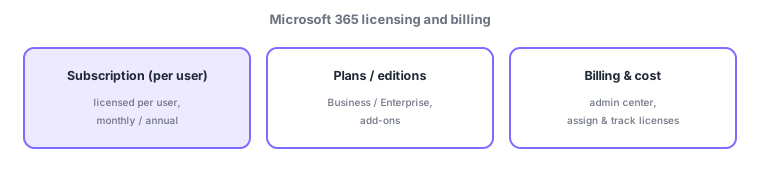
- Subscription: buy licenses per user (seat), paid monthly/annually—different from AWS/Azure pure pay-as-you-go.
- Plans/editions: Business (SMB) / Enterprise (large orgs) / Frontline (frontline workers) / Education & Government; add-ons extend features.
- Assign licenses & manage billing: assign licenses to users and track usage/cost in the Microsoft 365 admin center.
- Purchase channels: buy directly online, or via CSP (Cloud Solution Provider partners) or EA (enterprise agreements).
Continue reading — free sign-up
You're reading the free preview. Sign up free to read this section in full, plus every chapter (including 4+) and all questions.