

What's changed: In-scope coverage: added identity (Cognito/Directory Service/IAM Identity Center), keys/certs (CloudHSM/ACM), threat detection (GuardDuty/Inspector/Macie/Detective/Security Hub), network defense (Network Firewall/Firewall Manager), and compliance (Artifact/Audit Manager) across sections
1.1IAM and Access Management
Understand IAM users, groups, roles, and policies, least privilege, IAM roles for EC2/services, and federation. The starting point for designing secure architectures in SAA-C03.
Secure architecture rests on correctly controlling who (principal) can do what (action) to which resource. On AWS, IAM (Identity and Access Management) handles this. SAA-C03 is an associate-level credential on AWS design—one level deeper than Fundamentals—testing whether you can choose the right service and configuration for a scenario. IAM is its first pillar: the starting point of secure architecture design.
1.1.1IAM building blocks
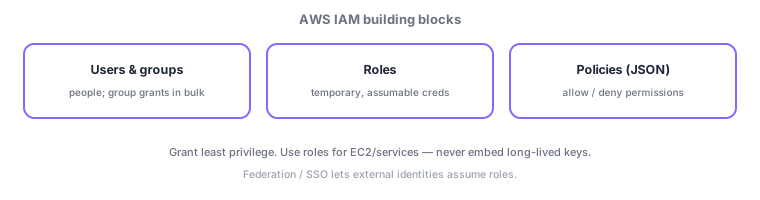
- Users/groups: users are individuals; groups grant permissions in bulk to many users.
- Roles: assume temporary credentials; attach to EC2/services so you never embed keys.
- Policies: define allow/deny in JSON, attached to users/groups/roles.
- Least privilege: grant only the minimum permissions needed.
| Element | Role | When to use |
|---|---|---|
| User | Individual long-term identity | Human use (minimize) |
| Group | Bulk-grant to users | Per-team/role permissions |
| Role | Assume temporary creds | EC2/Lambda/cross-account/SSO |
| Policy | Allow/deny in JSON | Attach to the above |
1.1.2Policy evaluation and when to use roles
Policy evaluation has key rules: deny by default (implicit deny), grant via an explicit Allow, and an explicit Deny always wins. Across multiple policies (identity-based / resource-based), a single Deny denies the request. For non-human workloads (apps on EC2, Lambda, cross-account access), the rule is to always use roles, never embed long-lived keys—roles issue temporary credentials, lowering leak risk and rotating automatically.
At scale, federation beats creating IAM users one by one. With IAM Identity Center (formerly AWS SSO) or SAML/OIDC, existing corporate identities (e.g., Microsoft Entra ID) assume AWS roles. Combined with AWS Organizations to group accounts, SCPs (service control policies) set the maximum permissions (guardrails) across accounts—a common design.
Scenario: permissions for a 3-tier web app. An app on EC2 reads S3 and DynamoDB → attach an IAM role to EC2 (no embedded keys). Operators assume a read-only role from their Entra ID identity via IAM Identity Center. In the prod account, an SCP guardrail "deny creation outside an approved region." Grant only the needed actions with least privilege.
Watch the mix-ups: (1) groups grant in bulk (not roles) / roles assume temporary creds. (2) Explicit Deny always beats Allow; default is implicit deny. (3) EC2/Lambda/cross-account use roles, not keys. (4) SCPs set the ceiling (guardrails) and do not themselves grant—an IAM Allow is still required.
Q. Group vs role? A group bulk-grants permissions to multiple users; a role is a set of permissions assumed temporarily by EC2/external identities. Q. Explicit vs implicit deny? No matching Allow = implicit deny; an explicit Deny overrides any Allow. Q. What is an SCP? An Organizations guardrail capping each account’s maximum permissions (it does not grant).
Common on SAA: app on EC2 accessing services = attach an IAM role (no embedded keys), explicit Deny wins, identity at scale = IAM Identity Center/federation, account guardrails = SCP. Groups grant in bulk; roles assume temporary credentials.
1.1.3Other key in-scope services (identity and directory)
IAM controls access to AWS resources, but end-user and employee identities use other services. Amazon Cognito provides app user authentication (sign-up/sign-in) and federation with external identity providers (social login or SAML/OIDC)—choose it for end-user auth in web/mobile apps. AWS Directory Service provides managed Microsoft Active Directory—choose it for trust with on-prem AD or to integrate with EC2/RDS that need AD authentication. For organization-wide single sign-on and permission assignment across many AWS accounts, use AWS IAM Identity Center.
| What you want | Service |
|---|---|
| App user auth and federation | Amazon Cognito |
| Managed Active Directory | AWS Directory Service |
| SSO and permissions across accounts | AWS IAM Identity Center |
1.1.4Section summary
- IAM = control access with users/groups, roles, policies; explicit Deny wins
- Use roles for EC2/services/cross-account (no keys), apply least privilege, protect root
- At scale use IAM Identity Center/federation; cap accounts with SCPs (Organizations)
Sign in to track progress — Log in.
Quick check
(just a quick review)Q1. What is the secure best practice for an app on EC2 to access S3?
Q2. Which IAM construct best grants the same permissions to many users at once?
Q3. Which JSON document defines allow/deny for "who can access what" in IAM?
Keep track of your progress
The full study guide is free to read. Sign up free to practice with the question bank, track what you have read, review your mistakes, and highlight passages.