

What's changed: Deepened PL-900 Chapter 2 to the AZ-900 baseline (Power BI workflow/Desktop·service·Mobile/report vs dashboard + table; Power Apps canvas vs model-driven = UI-first vs data-first + table; scenarios, FAQ, traps). Localized 2 figures
2.2Power Apps Capabilities
Understand building low-code apps with Power Apps, and the difference between canvas apps and model-driven apps.
Power Apps builds low-code business apps. In Power Platform it plays the "act" role, using data from Dataverse and connectors.
2.2.1Types of apps
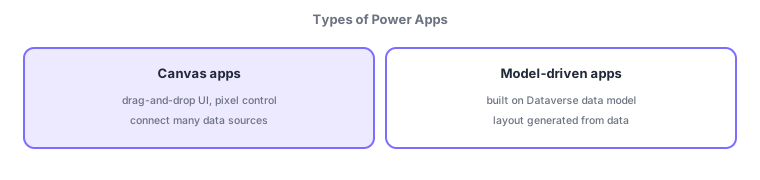
- Canvas apps: design the UI freely by drag-and-drop; connect many data sources (Excel/SharePoint/connectors), with fine control over the look.
- Model-driven apps: built on the Dataverse data model, with layout generated from data; suited to data-centric, complex business apps.
Power Apps plays "act" in Power Platform, building low-code business apps. The two types differ by "UI-first vs data-first." Canvas apps place components on a blank canvas to craft the look yourself—high design freedom, connecting many data sources. Model-driven apps define Dataverse tables (a data model), and forms/lists are auto-generated—suited to data-centric, complex processes (CRM-like). The deciding axis: "craft the look = canvas / auto-generate from data = model-driven."
| Aspect | Canvas app | Model-driven app |
|---|---|---|
| Starts from | UI (the look) | Data (Dataverse) |
| Layout | You design it | Auto-generated from data |
| Data sources | Many (connectors) | Mainly Dataverse |
| Best for | Look-focused, simple–medium | Data-centric, complex |
Scenario: choose by use. A field "equipment inspection app with photos" prioritizes look and mobile usability → canvas app (camera, connectors). A CRM-like app relating customers, cases, and history centers on the Dataverse data model → model-driven app. Both are low-code and integrate with Power Automate and Power BI as needed.
Watch the mix-ups: (1) Canvas (UI-first, design the look) vs model-driven (data-first, layout auto-generated from Dataverse). (2) Model-driven requires Dataverse (canvas allows many data sources). (3) Both are low-code; Power Apps is the "act" role.
Q. Canvas or model-driven? Canvas to craft the look / use many data sources; model-driven for Dataverse-centric, complex processes. Q. Does model-driven require Dataverse? Yes—the data model is its foundation. Q. Power Apps’ role? "Act" in Power Platform—building low-code business apps.
Common: design the look freely (UI-first) = canvas apps vs Dataverse-centric, layout auto-generated (data-first) = model-driven apps. Both are low-code; Power Apps is the "act" role.
2.2.2Section summary
- Power Apps = build low-code business apps (act)
- Canvas (UI-first, free design) / model-driven (data-first, layout auto-generated from Dataverse)
Sign in to track progress — Log in.
Quick check
(just a quick review)Q1. Which Power Apps app type lets you freely design the UI by drag-and-drop?
Q2. Which Power Apps type is built on the Dataverse data model with layout generated from data?
Q3. What is Power Apps’ main role within Power Platform?
Keep track of your progress
The full study guide is free to read. Sign up free to practice with the question bank, track what you have read, review your mistakes, and highlight passages.