

What's changed: Deepened DP-600 Chapter 1 (ja figures; comparison tables/scenarios/FAQ/traps/deep paragraphs in all sections)
1.2Governance and Deployment (CI/CD)
Understand Fabric workspace roles, item/data permissions, sensitivity labels and Purview, plus deployment pipelines and Git integration for CI/CD. Operate analytics assets securely and repeatably.
Analytics assets (models/reports/notebooks) must be secured and deployed repeatably dev→prod. Fabric handles this with roles, labels, pipelines, and Git.
1.2.1Governance and CI/CD
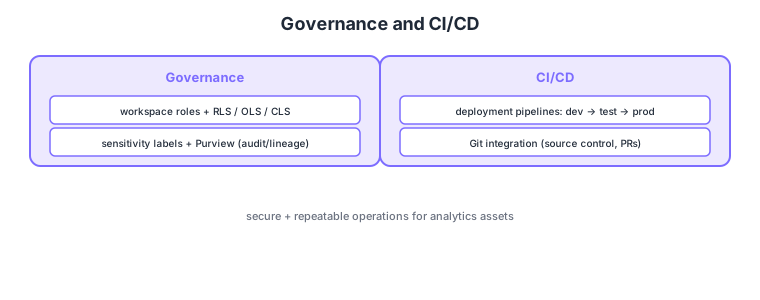
- Workspace roles: grant permissions via Admin/Member/Contributor/Viewer.
- Data permissions: fine control via row-level (RLS), object-level (OLS), column-level (CLS).
- Sensitivity labels/Purview: classify data and track auditing/lineage.
- CI/CD: release repeatably via deployment pipelines (dev→test→prod) and Git integration.
Common on DP-600: permissions = workspace roles + RLS/OLS/CLS, classification/audit = sensitivity labels/Purview, repeatable releases = deployment pipelines + Git integration. RLS/OLS matter for semantic models; Git integration for source control.
Git integration source-controls workspace items so you review changes via branches/PRs before promoting through deployment pipelines.
Layer access. Workspace roles (Admin/Member/Contributor/Viewer) are coarse; data-level control uses RLS (row-level), OLS (object/table·column-level), and CLS (column-level). In a semantic model you define roles and implement RLS with DAX filters, showing a Viewer only needed rows/columns. Governance uses sensitivity labels (Microsoft Purview Information Protection—classification + encryption) and Purview (lineage, data catalog, auditing). Release with deployment pipelines (promote artifacts across dev→test→prod, with diff comparison and deployment rules to swap parameters per environment) and Git integration (connect the workspace to Azure DevOps/GitHub; review via branches, commits, PRs). They combine—develop in Git, promote via pipelines. Advanced ops via the XMLA endpoint (edit semantic models from external tools like Tabular Editor) are also in DP-600 scope.
| Control | Granularity | Implementation |
|---|---|---|
| Workspace role | Workspace-wide actions | Admin/Member/Contributor/Viewer |
| RLS (row) | Rows | Model roles + DAX |
| OLS/CLS (object/column) | Tables/columns | Hide objects/columns |
Scenario: share a sales report company-wide, but each rep sees only their region’s rows, salary column only for managers, and changes reviewed before prod. → Create model roles with DAX region RLS and restrict the salary column with OLS/CLS. Review via PRs in Git integration and promote dev→test→prod with deployment pipelines.
FAQ: Q. RLS vs OLS/CLS? → A. RLS controls “which rows”; OLS/CLS controls “which tables/columns.” Q. Are deployment pipelines and Git integration mutually exclusive? → A. No—develop/review in Git and promote across environments with deployment pipelines; using both is standard.
Trap: “use RLS to hide specific columns” is wrong—rows use RLS; columns/tables use OLS/CLS. Also “the Viewer role auto-limits rows” is wrong—row limits require implementing RLS in the semantic model separately.
1.2.2Section summary
- Permissions = roles + RLS/OLS/CLS, governance = labels/Purview
- CI/CD = deployment pipelines + Git integration
Sign in to track progress — Log in.
Quick check
(just a quick review)Q1. You want to restrict access to specific columns in a semantic model. What do you use?
Q2. You want to promote analytics assets repeatably dev→test→prod. What do you use?
Q3. You want to source-control workspace items and review via branches/PRs. What do you use?
Keep track of your progress
The full study guide is free to read. Sign up free to practice with the question bank, track what you have read, review your mistakes, and highlight passages.