

What's changed: Deepened AI-102 Chapter 4 (ja figures; comparison tables/scenarios/FAQ/traps/deep paragraphs in all sections)
4.2Information Extraction with Document Intelligence
Understand Azure AI Document Intelligence (formerly Form Recognizer), which extracts structured data (key/value, tables, fields) from documents like forms, invoices, receipts, and IDs. Choose between prebuilt and custom models.
OCR reads "text," but Document Intelligence understands document structure (which is the amount, which is the date) and extracts it as structured data.
4.2.1Structured extraction from documents
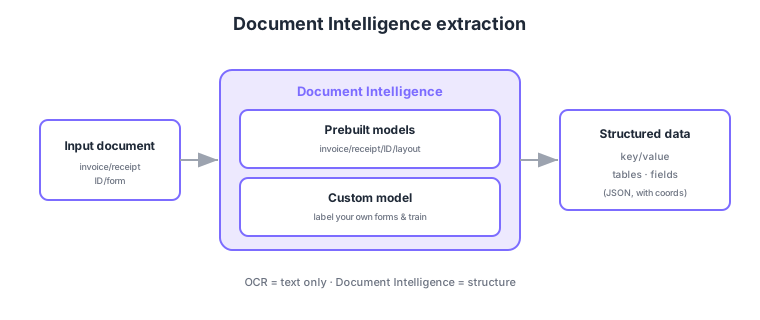
- Prebuilt models: extract immediately from invoices, receipts, IDs, business cards, layout, etc.
- Custom models: label and train on your own forms to extract custom fields.
- Extracted content: returns key/value pairs, tables, and fields as structured data with coordinates.
- Vs OCR: OCR reads only text; Document Intelligence understands the meaning/structure of the document.
Common on AI-102: structured extraction from invoices/receipts/IDs = Document Intelligence prebuilt models, train on your own forms = custom model, text only = OCR, structure too = Document Intelligence. For "extract key/value or tables," choose Document Intelligence.
Continue reading — free sign-up
You're reading the free preview. Sign up free to read this section in full, plus every chapter (including 4+) and all questions.