

What's changed: Deepened SOA-C02 Chapter 6 to Associate depth (tables, scenarios, FAQ, traps; localized figures)
6.1Cost Visibility and Management
Understand cost management ops: visualization/analysis with Cost Explorer, budget alerts with Budgets, cost allocation tags and the Cost and Usage Report (CUR), and consolidated billing in Organizations. The starting point for "Cost and Performance Optimization" in SOA-C02.
In operations, visualizing cost and catching overruns before they happen matters. AWS supports this with Cost Explorer (analysis) and Budgets (alerts).
6.1.1Cost management tools
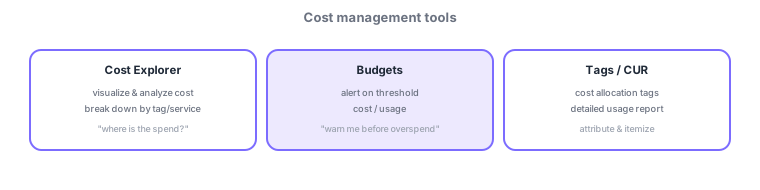
- Cost Explorer: visualize/analyze cost and break it down by tag or service.
- Budgets: send alerts when a budget threshold is exceeded (cost/usage).
- Cost allocation tags: classify resources to attribute cost by department/project. CUR is the most detailed itemized report.
- Consolidated billing in Organizations: aggregate usage across accounts for volume discounts.
Common on SOA: analyze/break down cost = Cost Explorer, alert before overrun = Budgets, attribute by department = cost allocation tags, most detailed itemization = CUR, multi-account discounts = consolidated billing.
Continue reading — free sign-up
You're reading the free preview. Sign up free to read this section in full, plus every chapter (including 4+) and all questions.